
Using QR Codes in the Classroom: 14 QR Code Ideas for Elementary Teachers
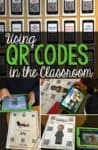
If you’re picturing QR codes as one more tech thing to manage, stick with me for a minute. Using QR codes in the classroom is less about flashy gadgets and more about solving everyday problems: students asking where to click, losing links, or waiting on you to repeat directions yet again. With a quick scan, kids can get where they need to go on their own, and you get a little breathing room.

Whether you have a full set of devices or just a few shared tablets, QR codes slide easily into routines you already use. These QR code ideas for the classroom help smooth transitions, support independence, and keep learning moving without extra prep or complicated setups.
What is a QR Code
A QR code works like a barcode. QR stands for Quick Response. It’s a square image made of unique dot patterns that stores information. When a student scans it with a device, it opens a link, plays a video, or displays text instantly. No typing required.
QR codes are safe to use in the classroom. Students only access what you’ve linked, so there’s no chance they’ll wander somewhere else.
Why use a QR Code
The main reason is independence. Instead of students waiting for you to pull up a link, hand out a paper, or repeat directions, they scan and go. It also eliminates typos. Even a simple URL is hard for a seven-year-old to type accurately. QR codes get it right every time.
How to Create QR Codes for the Classroom
Most phones and tablets now scan QR codes directly through the camera. No separate app needed. Just open the camera, point it at the code, and tap the link that appears.
Making QR codes for the classroom is just as simple. The easiest options are:
- Canva (free, beginner-friendly): save codes as images to drop into any document
- QR Code Generator (qr-code-generator.com): paste in a link and download the image
- QREncoder (Mac app): fast if you’re creating codes regularly
Once you’ve made the image, paste it into a Word document, Google Slides, or any worksheet and print it. That’s it. If you plan to use QR codes commercially (in products you sell), check the terms of use on whichever website you use.
14 QR Code Ideas for the Elementary Classroom
1. Link to Videos
Send students straight to a specific video with no typing or searching involved. Whether it’s a YouTube read-aloud, BrainPOP clip, or a tutorial you recorded yourself, QR codes make it easy.
Example: Add a QR code to a worksheet linking to a video about the water cycle or to a number line showing fractions.
Use to Research More Information About a Topic
Our biographies and animal articles include QR codes linking to curated websites and videos, so students can dig deeper into the topics they’re studying. This is especially helpful for lower readers. The videos give them access to content that’s just above their independent reading level, and they love watching them.

When I started doing individual research projects with my second graders, I needed a way to give students reliable, kid-appropriate sources without handing them the whole internet. QR codes solved that.

For biography reports, each student gets a QR code page with three curated websites and three videos about their American hero. They scan and go. No typing, no wrong turns. The same system works for animal articles. Each animal in our habitat collections includes a QR code linking to a research page with additional sites and videos.
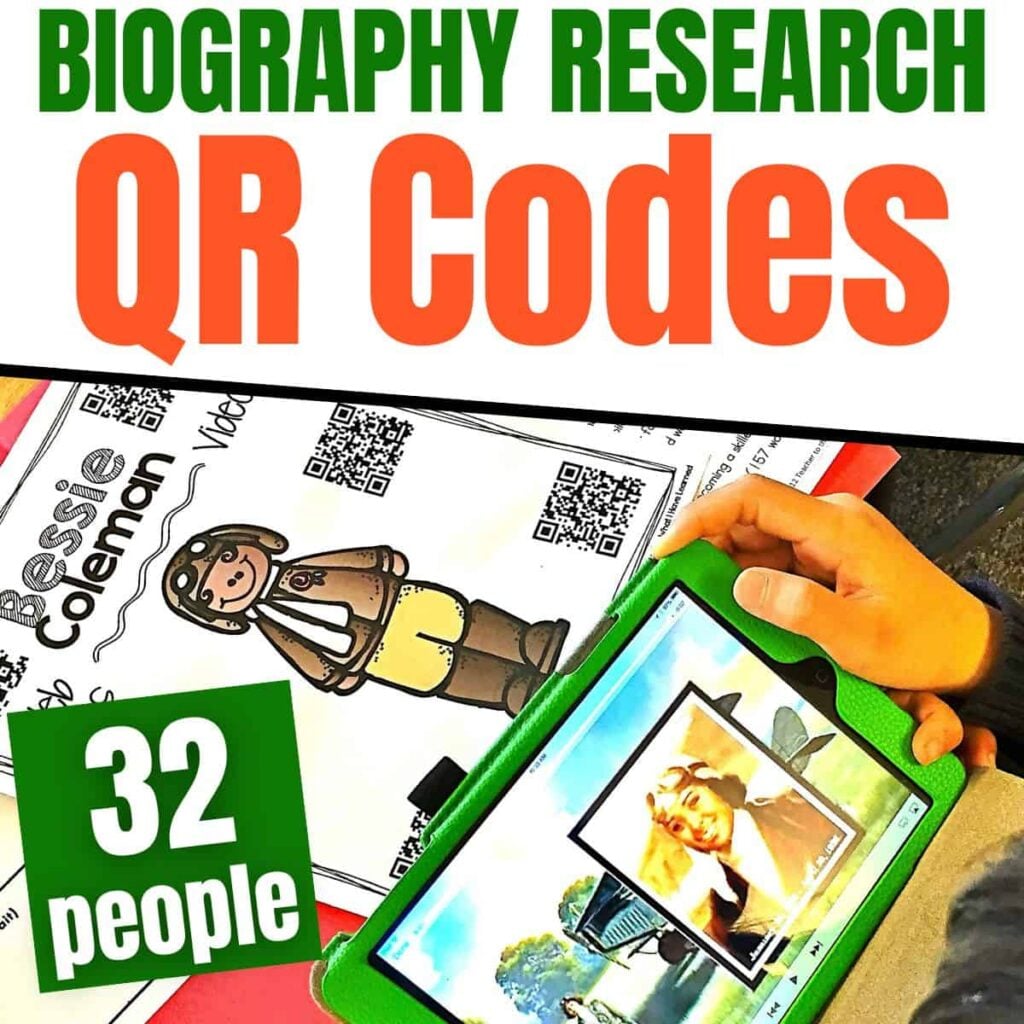
Biography Research QR Codes for Scaffolding Students’ Research
Do your students struggle finding information on famous historical figures? Do you have technology in your classroom that could help, but aren’t sure how to get all of your students to access the websites they need? These Biography QR Codes will link your students to informational websites and videos.
2. Self-Checking Work
One of the most practical QR code activities for students is self-checking work. Add a code to task cards or worksheets so students can check their answers without waiting for you.
Example: Put a QR code on the back of a math card that shows the correct answer when scanned. Students solve the problem first, then scan to check.
3. Audio Support for Reading
Perfect for early readers, English language learners, or students who need extra support. Use QR codes to link to audio recordings of books, directions, or vocabulary words.
Example: Students scan a code and listen to you reading a short passage as they follow along.
Our second-grade science stations all include audio support through QR codes. Students scan and listen to the science passage read aloud, which makes the content accessible even when you’re working with a small group across the room.
I also put together a set of QR codes for October and Halloween stories, which work great for a listening center or Daily 5 Listen to Reading rotation.

4. Writing Prompts
Make writing centers more engaging by using QR codes to deliver surprise prompts, images, or sound effects.
Example: A QR code reveals a silly animal photo. Students write a story about it.
5. Scavenger Hunts
QR code scavenger hunts are one of the most engaging QR code activities for elementary students. Students solve clues or answer questions at each station to reach the next code.
Example: Each station has a QR code that reveals a riddle or math problem to solve before moving on.
6. Parent Communication
Send home QR codes on student work that link to classroom newsletters, project videos, or digital portfolios.
Example: A QR code taped to a student’s art piece links to a short video of them explaining their process.
7. Morning Check-In
Have students scan a QR code when they arrive each morning to complete a quick digital check-in or feelings form.
Example: Students scan a code and pick an emoji that reflects their mood for the day.
This is also a low-lift way to handle lunch count for older students.
8. Classroom Jobs
Attach QR codes to your job chart that link to simple instructions or short videos showing how to do each job.
Example: The line leader QR code shows how to line up and reminds students to check that the lights are off.
9. Centers and Stations
Use QR codes at each center to give directions, model the task, or link to an example.
Example: At the word work station, a QR code leads to a video showing how to sort by vowel sounds.
In the spring, I set up six to seven science stations for our life cycles unit, one per animal. At each one, students find an article, a QR sheet with additional websites and videos, and other artifacts. They rotate through the stations and fill out a graphic organizer for each animal. The QR codes let them dig deeper independently without me needing to be at every station.

-

-
-
-
Product on saleDesert Animals BUNDLEOriginal price was: $36.00.$21.20Current price is: $21.20.
-
Product on saleAfrican Animals BUNDLEOriginal price was: $33.00.$16.51Current price is: $16.51.
-
Product on saleAntarctic Animals Informational Articles & Research ActivitiesOriginal price was: $18.00.$11.55Current price is: $11.55.





10. Link to Digital Work
Whether it’s a Google Slides activity or a Seesaw post, QR codes make it fast and easy for students to access digital content without typing a long URL.
11. Homework Help
Send home QR codes on assignments that link to a short video explaining the concept.
Example: A math worksheet includes a QR code linking to a video that walks through one example problem, so parents can follow along too.
12. Student Work Displays
Add a tech twist to your bulletin boards. QR codes can turn your student work wall into an interactive display.
Example: Scan a code next to a student’s science project to hear them explain it in their own words.
13. Book Recommendations
Let students share their favorite reads. Create QR codes that link to short video reviews or book trailers.
Example: Scan the code on a book bin to hear a student’s 30-second review of their favorite chapter book.
14. Classroom Expectations
Post QR codes near classroom routines that link to short videos or visual reminders showing what to do.
Example: A QR code near the science supply shelf shows students how to handle materials and clean up after an activity.
Start Small
You don’t need to overhaul your whole routine to start using QR codes in the classroom. Pick one QR code idea, maybe a video link or a self-checking worksheet, and build from there. Once students get used to scanning, it becomes second nature. And as a bonus, it cuts down on the same question being asked 14 times in 10 minutes.

hey, I’m just wondering where do you get all these cute characters to decorate your handouts?
Hi, Kathy,
I get most of my clipart on Teachers Pay Teachers. There are a ton of clip artists there who allow for commercial use.
All my best,
Jessica
Thank you! I’ve been meaning to try QR Codes, and your post has inspired me to give them a shot.
I need a qr code for answers
What type of ipad do you used with your students? I’m looking to self purchase out of pocket and wanted to get ones that actually function for this particular thing.
Any iPad will work with QR codes. I know that other tablets work as well, but I don’t use them, so I’m not sure which do and which don’t.
Great post, and great blog. I have started using QR codes on my displays now too, the children are so much more involved. I also love a QR code hunt. Thanks for the post.
can u teach me how to do the worksheet?
I don’t have a tutorial on how to create QR codes. I’m there are quite a few already available if you google it.
What website do you use to create your QR codes?
I use an app on my computer. There are many versions in the app store.
Where did you get the clear sleeves for the codes?
I’m not sure which clear sleeves you’re referring to. The smaller cards are laminated. The full pages are in page protectors, like this: https://amzn.to/41HiSJU