
Organizing Your Classroom & Digital Files
I’m a super organized person (that’s what people tell me anyway). After a husband and two small kiddos who stay home most of the day (my husband is a stay-at-home dad), my house no longer reflects my organized self. Luckily, my classroom can bear the brunt of my OCD tendencies.

Here are some ways that I’ve organized my classroom. I seem to change my system every few months, it seems!
Monthly Themes
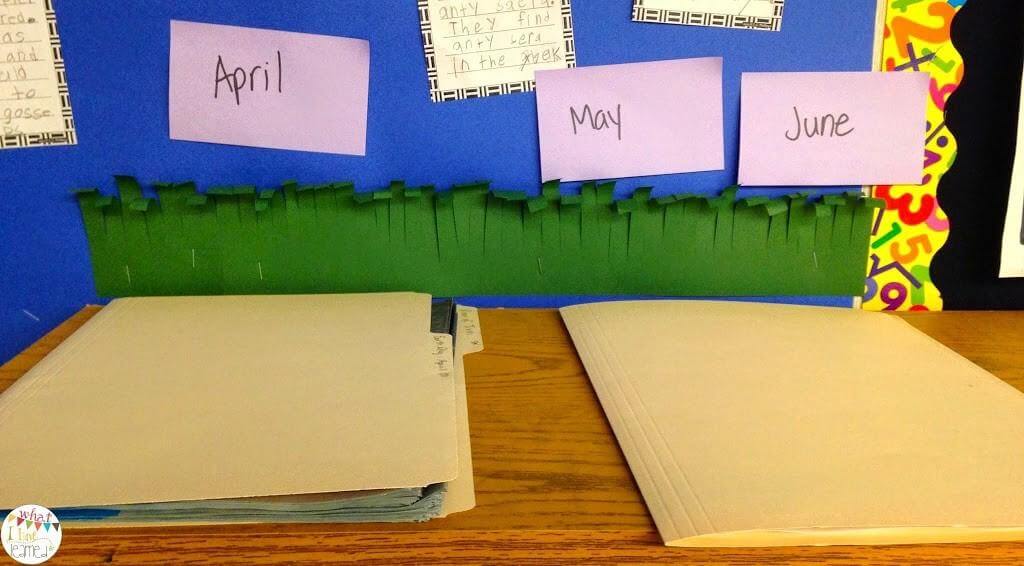
One of the things I did last year was go through all my monthly themed files and re-sort them. Some things I hadn’t really sorted properly and I had a big pile that needed sorting! The worst thing I’ve done is let piles get bigger and bigger. Over a period of a week or so, I was able to put sticky notes on the wall above a couple bookshelves and just make piles for each month. Since they were on tall bookshelves, the files were out of reach of my students and I could gradually add to the monthly piles over the week.
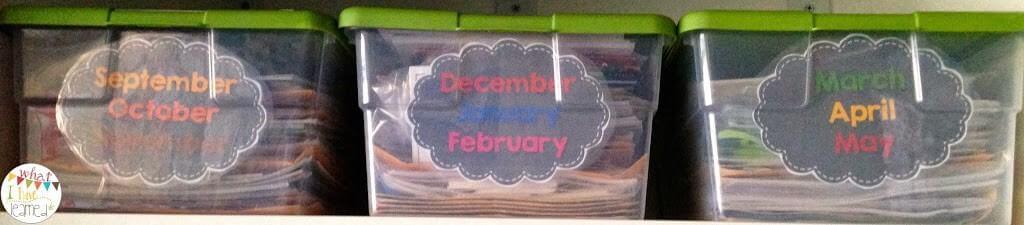
After sorting all the files and books, I put them in monthly boxes. At this point, I have a box for every three months. I don’t have enough boxes or enough “stuff” to have a box for every month, yet. At the beginning of each month, I can pull out the resources I need for that month. Putting the files in boxes with three month spans also lets me see topics that are coming up that I may not remember.
What’s in the boxes? I mainly put Scholastic News, math or literacy station cards, craftivity samples, or other odds and ends things that are clearly themed for a a particular month or season of the year.
I also have files based on skill, which aren’t month / theme specific. Those are sorted in drawers by the subject and skill. The order we teach math seems to change every year, so those non-themed files are sorted by concept.
Electronic Files
Since going back into the classroom six years ago, and especially the past three years, most of my teaching resources are electronic. TpT has changed my life, both in my ability to create resources, but also it has also become my first place to search for new lessons for my classroom. That and Pinterest, which leads to TpT more often than not! In fact, I now prefer having an electronic copy of a resource, so I can print the pages that I need each time I use it
It took me until last year to figure out how to sort the files on my computer so I could find everything! Even with this sorting system, I still have difficulty locating files and often use the search feature. There’s so much digital content I have a hard time keeping track of it all.

In my main Second Grade folder (on the left), I have folders for each subject area and a few others that aren’t subjects, but definitely a need. Within each subject, I have a folder for each strand. I’ve tried to number them in the order of appearance in the standards. Within each strand folder, I have each standard. Within each standard folder are resources that go with that standard. So, it goes like this: Second Grade > Subject > Strand >Standard > Resources.
This method works well for resources that fit a particular standard. Some resources span a few standards, so I try find a place it best fits, or stick it in the strand folder.
This is truly the best way I have found to organize my files so that I can find most of them. There are still those that I need to use the search function to find. Usually, if I can remember the title, I can find it. Those that have cute titles I rename to have a part of the skill in the title so I can be sure to easily find it.
How to keep track of the digital files

Are you finding yourself overwhelmed with all the great resources you’re finding? There are so many wonderful ideas and products that I’m having trouble remembering everything I have! Well, I’ve got a solution for you!
First some backstory: Recently I decided to redesign our math workstations. I pulled resources from all over the place to create our first set of 10 workstations. As students worked through them, they had varying levels of success and challenges. I decided that I didn’t like certain stations as well as I thought I would. Three days into our new stations, I wanted to add a few options to several of the boxes and totally switch out one of them.
I had so many great resources that I had downloaded over the past few weeks, but after downloading them and sometimes “filing” them away on my computer, I couldn’t for the life of me remember what I had, where I had put it, nor the standards on which it focused. I’d printed a few things, but even that didn’t help me “remember” what I had.
My solution? I created a document to help me keep track of all the wonderful resources I’m using in my Math Work Stations and just general math instruction.
I also did a post on the Who’s Who and Who’s New blog a while ago about how to organize digital resources. The link to the freebie over there no longer works and I don’t have access to the blog to update the link. Here is the correct link to the freebie. This document will help you keep track of your math resources. It is a template that can be adapted to any subject area.
This is totally a work in process and I have yet to go through the files that are already on my computer. What you see here are those that I’m currently using in my workstations. I figured I had to start somewhere!
Since this is for math, I’ve organized it by math strand. As I list more resources, I’ll probably add more categories and organize it by clusters. The beauty of working with tables is that I can split them or copy and paste rows into different places. I’ve already referred back to the document several times and added even more resources.
How do you keep your physical and digital files organized? I’d love to hear more suggestions in the comments below. I’m always open to finding new systems and new ways to do things!

Figuring out how to sort and organize digital materials and lesson materials has been difficult for me. I like what I came up with this year. On my computer I have a folder for each subject and a folder for each season. Inside each of those folders, I have folders for each month in the season or each skill within the subject. (Inside my literacy folder, I have a subfolder for fluency etc.) This system is helping, but I still have the problem of coordinating my home computer with my school computer with my google drive… 🙂
Not very fancy
I have just started using dropbox this year to linl home computer and work computer file.
Jessica, I love that you included how you keep your digital files organized as well! This is one I really struggle with – so many different ways to organize, and things can get “hidden” in a folder easily! Thanks for sharing!
Theresa @ True Life I’m a Teacher!
If you are using a Mac., try the tagging feature in OS X Yosemite. It really can help you get organized.
Yes! I use those fairly often. Just the color coding, but this comment made me realize that I could tag by keyword, too!
How does the tagging system work on the MAC?
I should use tagging more often to keep track of files. Here’s the apple support doc on how to use tags: https://support.apple.com/en-us/HT202754 That might help explain it a bit.
I use Trello and it is wonderful!
I’m going to have to check it out. I’ve heard some good things about it.
Thanks so much for the ideas and shares! Why didn’t I think of creating a document where I link the things I’m using with the different standards! #genius! I currently use Dropbox to organize content, however, I’ve started creating google slides that have links and pictures to all the resources I have for each standard in Math. It’s easy to create slides and import pictures and links to different files. Plus I can share the slides with my team and they have access to see what I’m talking about if I’m planning a specific lesson. (Tabitha Carro shared that idea). I think I’m going to add in a slide with your idea of a document to list what I taught so I can see what resources I’ve already used. Appreciate your ideas and shares!
Freebie is not accesible
Thanks for letting me know. I’ve updated this post with the correct link. I no longer have access to the Who’s Who blog, so I can’t correct those links.
thanks 🙂
Freebie is still not accessible 🙁 I feel like I am technologically challenged! 🙁 I have hundreds, if not thousands of files that make it difficult to go through when planning lessons. I would love to be able to create a document to be able to link activities to.
I’m so sorry! Dropbox changed their public folder links last week and I’ve been slowly correcting all the links. I hadn’t gotten to this one yet. Here is the correct link to the document: Math Work Stations Template.
Thank you so much! I too, love organization! I can’t wait to get a system going!
Still not accessible. We get an error message.
Are you asking about the file to organize your digital resources? The link is above and here: https://s3-us-west-1.amazonaws.com/whatihavelearned/Free/Math_Work_Stations_Template.docx . It’s a downloadable Word file.
Great ideas for organizing! I am trying to tackle that this summer. Where did you get your tubs to hold your monthly files? Thanks!
I think I got the boxes at Target, but I’m not 100% sure. I may have already had them in my “container collection”.
Thanks. I virtually (no pun intended) have all my class handouts in electronic form, so I’m always trying to figure out how to organize them… I do have a web site and iI do have a google drive. What I struggle with is not moving them around too much after I point to them in a blog or link. I don’t want to break a link I have posted. But,,, I do post every days content to a blog so I can always look back to last year to see what I did the same time last year.